Running a service business means managing more than just customers. Your team has to respond to enquiries, qualify potential clients, schedule appointments, send reminders, prepare quotes, follow up with prospects and keep customer information updated.
As the business grows, these repetitive tasks can take time away from the work that actually generates revenue.
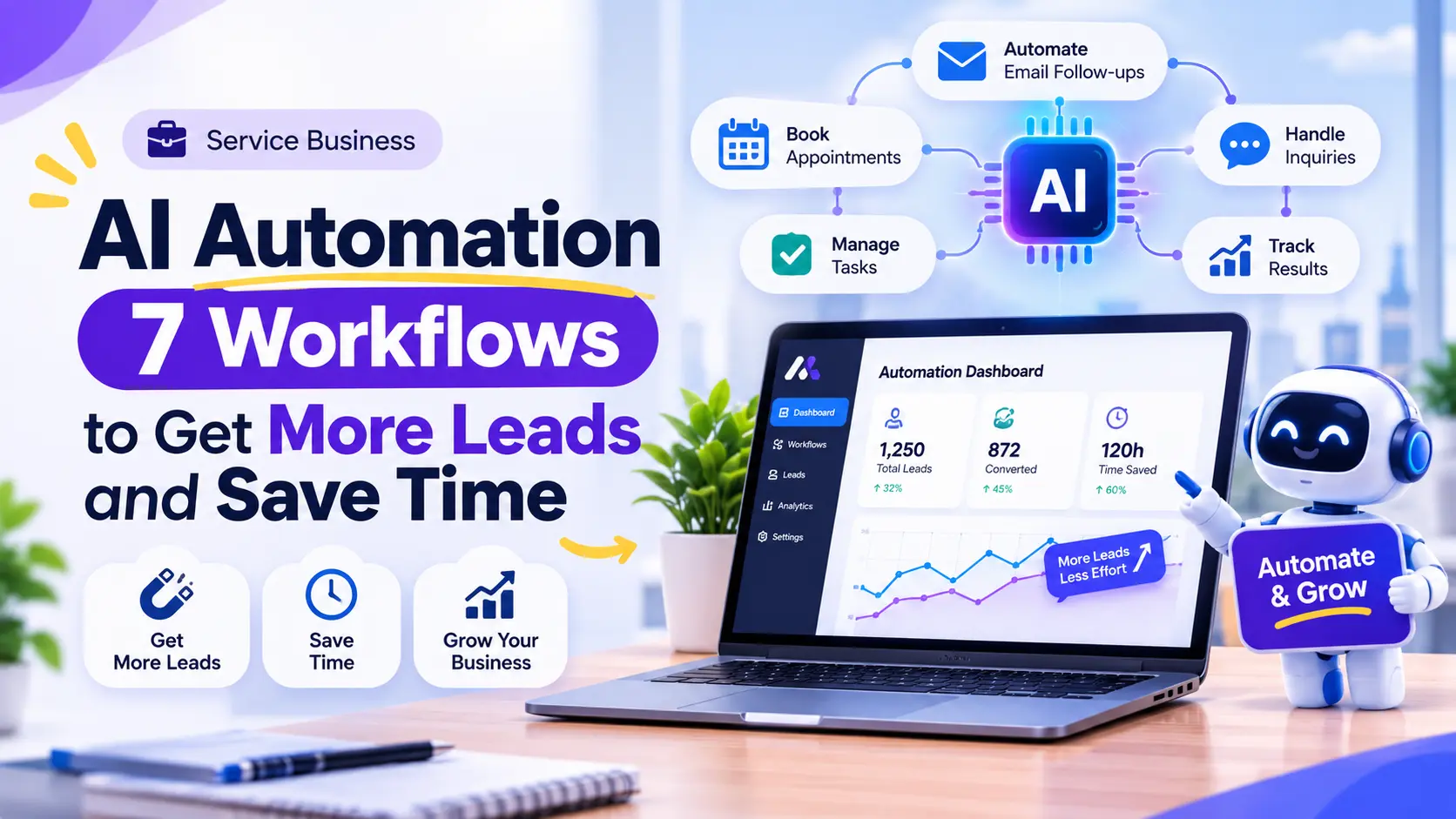
This is where Service Business AI Automation can make a difference. By combining artificial intelligence, workflow automation and your existing business software, you can reduce manual work, respond to customers faster and keep everyday operations organized.
Instead of adding more employees just to manage repetitive tasks, businesses can use AI-powered workflows to handle routine activities while their teams focus on important customer relationships and decisions.
In this article, we explore seven practical AI automation workflows that service businesses can implement to improve lead management, customer communication and daily operations.
What Is Service Business AI Automation?
Service business AI automation is the use of artificial intelligence and connected software workflows to manage repetitive tasks in businesses that provide services rather than primarily selling physical products.
Examples include:
- Marketing and digital agencies
- Consulting firms
- Professional service providers
- Home service and maintenance companies
- Cleaning and repair businesses
- Training and education providers
- Appointment-based businesses
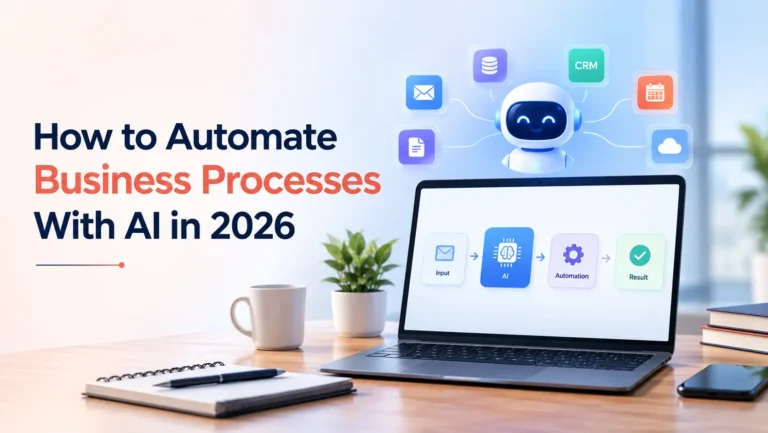
A typical workflow might look like this:
Customer enquiry → AI understands the request → Lead information is recorded → Relevant team member is notified → Customer receives a response → Follow-up is scheduled
Traditional automation follows predefined rules, while AI can help interpret customer messages, summarize information, classify enquiries and prepare context-aware responses.
The two technologies work best together: traditional automation handles predictable steps, while AI supports tasks that involve language, documents or more flexible information.
7 AI Automation Workflows Every Service Business Should Consider
The best AI automation services for businesses are not necessarily the ones with the most advanced technology. They are the ones that solve frequent operational problems and fit into existing business processes.
Here are seven workflows worth considering.
1. Automated Lead Capture and Qualification
When a potential customer submits a contact form, sends an email or starts a website chat, the business needs to understand their requirements and decide who should handle the enquiry.
If this process depends entirely on manual review, responses can be delayed and opportunities may be overlooked.
An AI-powered lead management workflow can:
- Capture enquiries from website forms and communication channels.
- Identify the service a potential customer is interested in.
- Extract relevant information from their message.
- Categorize enquiries based on service type or requirements.
- Add the lead to a CRM.
- Notify the appropriate team member.
- Prepare a personalized initial response for review or delivery.
Example: A digital agency receives an enquiry from someone looking for a website redesign. AI identifies the project type, extracts the budget and timeline if provided, records the information in the CRM and alerts the sales team.
This gives the team a more organized way to handle incoming enquiries.
2. AI-Powered Customer Support and Website Chatbots
Service businesses often receive the same questions repeatedly:
- What services do you provide?
- How does your process work?
- What information do you need to get started?
- Can I schedule a consultation?
- How can I contact your team?
An AI chatbot can answer routine questions using approved business information, collect customer details and direct more complicated enquiries to a human representative.
A well-designed chatbot can:
- Answer frequently asked questions.
- Explain available services.
- Collect contact details.
- Identify customer requirements.
- Direct enquiries to the right department.
- Escalate complex conversations to a human.
Unlike a basic scripted chatbot, an AI chatbot can understand different ways of asking the same question.
However, it should use accurate business information and have a clear human handoff. It should not invent prices, availability or service commitments.
If you want to understand when a chatbot makes sense, read our article on AI Chatbots for Small Businesses and Whether They Are Worth the Investment.
3. Appointment Scheduling and Automated Reminders
Businesses that depend on consultations, inspections, bookings or scheduled services often spend time coordinating availability.
AI-assisted scheduling workflows can simplify this process.
For example:
- A customer requests an appointment.
- The system collects the required information.
- Available time slots are checked through the connected calendar.
- The customer receives suitable booking options.
- Once confirmed, the appointment is added to the calendar.
- Confirmation and reminder messages are sent automatically.
The system can also support rescheduling requests and notify staff when an appointment changes.
Business benefit: Less time spent coordinating appointments and fewer manual steps between receiving a request and confirming a booking.
The availability check must use the business’s actual calendar. AI should never promise a time slot that has not been confirmed.
4. Automated Email and Customer Follow-Ups
A potential customer may request a quote, attend a consultation or ask for additional information without making an immediate decision.
Following up consistently is important, but manually tracking every conversation can become difficult as enquiry volume increases.
AI and workflow automation can help businesses:
- Record when a customer makes an enquiry.
- Prepare personalized follow-up emails.
- Schedule reminders for the sales team.
- Identify enquiries that have not received a response.
- Summarize previous conversations.
- Update customer communication history in the CRM.
For example, after a consultation, AI can summarize the discussion and prepare a follow-up email based on the agreed next steps.
A team member can review and approve the message before it is sent.
This makes follow-up more consistent without turning every customer interaction into an impersonal automated message.
5. CRM Updates and Lead Management
Customer information often exists in multiple places: spreadsheets, emails, contact forms, calendars and CRM systems.
Manually moving information between these tools creates duplicate records, missing details and unnecessary administrative work.
An automated CRM workflow can:
- Add new leads to the CRM.
- Update existing customer records.
- Categorize enquiries by service or status.
- Assign leads to team members.
- Record customer interactions.
- Create follow-up tasks.
- Notify staff about important changes.
AI can also summarize long conversations and extract useful information from messages before adding it to a customer record.
For service businesses with multiple employees, this creates a more consistent view of customer activity.
6. Automated Quotes, Proposals and Invoice Processing
Preparing quotations and proposals often involves collecting customer requirements, checking service details and organizing information into a document.
AI can assist with the preparation process.
For example:
- Extract project requirements from customer enquiries.
- Summarize the requested services.
- Organize information into a quotation template.
- Prepare a first draft of a proposal.
- Extract relevant invoice information.
- Categorize documents for record keeping.
- Notify staff when an invoice requires attention.
A human should review prices, scope, contractual terms and payment details before a quotation or invoice is approved.
The goal is to reduce document preparation time, not to allow AI to make financial commitments without authorization.
7. Client Onboarding and Internal Task Management
Once a customer accepts a proposal, the next challenge is ensuring that everyone knows what needs to happen.
Client onboarding may involve collecting documents, creating project records, assigning tasks, scheduling meetings and sending welcome information.
An automated onboarding workflow can:
- Send a welcome email after a project is approved.
- Collect required client information.
- Create a project or customer record.
- Assign tasks to the appropriate team members.
- Schedule an initial meeting.
- Notify employees about pending requirements.
- Track onboarding progress.
For example, when a client approves a website development proposal, the workflow can create a project record, request website content and branding assets, and notify the project team.
This helps reduce repetitive coordination and gives customers a more organized experience from the beginning.
Manual Processes vs AI Automation: What’s the Difference?
Not every task needs AI. Some processes are better handled through simple rule-based automation, while others benefit from AI’s ability to understand information.
| Business task | Manual process | Automated approach |
|---|---|---|
| Lead management | Staff review every enquiry | Capture, classify and route leads |
| Customer support | Staff answer repeated questions | AI handles routine FAQs with human handoff |
| Appointment booking | Back-and-forth messages | Calendar-connected booking workflow |
| Follow-ups | Employees track reminders | Scheduled and context-aware follow-ups |
| CRM management | Manual data entry | Automatic record creation and updates |
| Quotes and proposals | Staff organize information | AI prepares drafts for approval |
| Client onboarding | Manual task coordination | Automatic task creation and notifications |
The right solution depends on the task, the tools already being used and the level of human oversight required.
For a deeper explanation of how these systems work together, read How to Automate Business Processes With AI.
Which AI Automation Tools Can Service Businesses Use?
There is no single tool that works for every business. The right choice depends on the number of workflows, existing software, integration requirements and budget.
| Tool or platform | Common use | Suitable for |
|---|---|---|
| n8n | Connecting apps and building custom workflows | Businesses needing flexible automation |
| Zapier | Connecting popular business applications | Teams wanting accessible app integrations |
| Make | Visual multi-step workflow automation | Businesses managing several connected processes |
| OpenAI API | Language understanding, extraction and AI responses | Custom AI-powered features |
| CRM platforms | Managing contacts, sales pipelines and customer activity | Businesses handling ongoing customer enquiries |
These tools can also work together. For example, an automation platform can receive a website enquiry, send relevant information to an AI model, update a CRM and notify a team member.
You can explore Zapier’s lead management automation examples to see how connected workflows can support lead capture, qualification and follow-up.
The important thing is not to purchase multiple tools without a plan. First identify the business process that needs improvement, then select the simplest reliable technology for it.
How to Choose the Right AI Automation for Your Service Business
Before investing in AI automation services for businesses, evaluate your existing operations.
Use these questions to identify the best starting point:
1. Which tasks are repeated most frequently?
Look for activities your employees perform every day, such as answering the same questions, updating records or sending reminders.
2. Where do customers experience delays?
Review how quickly your team responds to enquiries, confirms appointments and follows up after consultations.
3. Which tools does your business already use?
Identify your website, CRM, email platform, calendar, communication channels and other business software.
4. Does the process actually need AI?
A simple notification or calendar update may only require traditional automation. AI is more useful when a workflow needs to understand messages, extract information or prepare contextual responses.
5. How will you measure the result?
Choose measurable indicators such as:
- Average enquiry response time
- Number of leads successfully recorded
- Time spent on administrative work
- Appointment confirmation rate
- Missed follow-ups
- Customer support response time
- Workflow error rate
Start with one process, measure its performance and expand only when the results justify it.
Common Mistakes to Avoid When Implementing AI Automation
AI automation can improve operations, but poor implementation can create new problems.
Avoid these common mistakes:
Automating everything at once: Start with a specific workflow instead of trying to transform the entire business in one project.
Choosing tools before identifying the problem: A popular AI platform is not automatically the right solution for your operations.
Ignoring existing systems: Automation should connect with your current business software wherever practical, rather than creating another disconnected platform.
Removing human oversight: Keep people involved in important decisions, financial approvals, sensitive customer interactions and unusual cases.
Ignoring data security: Use appropriate access permissions, protect customer information and understand how connected platforms process and store data.
Failing to monitor workflows: Test the system, track errors and review performance after launch. Automation requires maintenance as business processes change.
When Should You Hire an AI Automation Service Provider?
Some businesses can handle simple automations using ready-made tools. However, professional implementation may be useful when workflows involve multiple systems, custom business rules or more complex customer interactions.
You may benefit from an AI automation service provider if:
- Your website, CRM, calendar and communication tools do not work together.
- Your team spends too much time managing repetitive administrative work.
- You need an AI chatbot connected to your own business information.
- You want automated lead qualification and follow-up.
- Your workflow requires custom API integrations.
- You need an AI agent to complete several connected tasks.
- Existing automation tools cannot handle your specific requirements.
A good implementation partner should understand your current process before recommending a solution. They should also explain the scope, integrations, limitations, maintenance requirements and expected outcomes.
Build Smarter Workflows With PWH Services
Your team should spend more time serving customers and growing the business, not repeatedly transferring information between tools or managing tasks that could be automated.
At PWH Services, we help businesses turn practical AI opportunities into working software solutions. Our AI integration and automation capabilities include:
- AI chatbots for websites and business applications.
- Custom AI agents for lead qualification and multi-step tasks.
- n8n, Zapier and Make workflow automation.
- WhatsApp AI chatbot integrations.
- CRM, email and calendar integrations.
- OpenAI, Claude and Gemini API integrations.
- AI-powered data analysis and reporting.
We start by understanding your business requirements, identifying suitable workflows and selecting the right technical approach. Each solution is planned around your existing systems and the outcomes you want to achieve.
Have a repetitive business process that is taking too much of your team’s time?
Let’s identify what can be automated and build a solution that fits your operations.
Explore PWH’s AI Integration & Automation Services
You can also book a free 30-minute consultation to discuss your workflow, or request a free project quote. Share your requirements and our team will help you understand the possible solution, scope and next steps.
Frequently asked questions
Service business AI automation uses AI and connected software workflows to handle repetitive tasks such as lead management, customer communication, appointment scheduling and administrative work.
Agencies, consulting firms, cleaning companies, maintenance providers, professional service firms and appointment-based businesses can all benefit from suitable automation workflows.
Start with a frequent task that creates delays or consumes staff time. Lead capture, enquiry follow-up and appointment reminders are common starting points.
Not always. Simple workflows may work with existing automation tools. Custom development becomes useful when a business needs specific integrations, advanced logic or AI features connected to its own systems.
The cost depends on workflow complexity, the number of integrations, AI usage, existing software and ongoing maintenance. A properly scoped project should account for both implementation and running costs.
Written by the PWH Services team, who design and build mobile apps, websites and AI products for startups and growing businesses.