 Skip to content
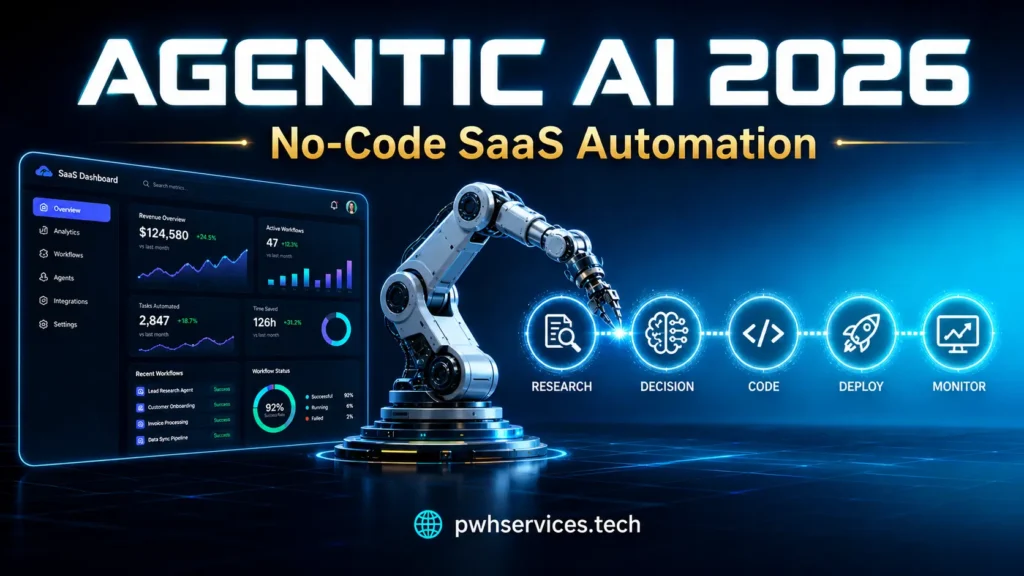
Most SaaS products are still built around a passive assumption: the user shows up, does something, and the product responds. Agentic AI breaks that assumption. The product acts on its own — monitoring, deciding, executing — while the user is doing something else entirely.
This is the shift that matters in 2026. Not AI as a feature you bolt on. AI as the operational layer running underneath your product.
At PWH Services, we work with SaaS founders and product teams to build exactly this. This guide covers what agentic AI workflows actually are, how no-code tools have made them accessible, and how to think about building one for a SaaS product.
What Agentic AI SaaS Actually Means
The word “agentic” gets used loosely. Here’s the practical definition: an agent is software that pursues a goal across multiple steps, using tools, making decisions, and handling errors along the way — without a human directing each step.
A standard AI feature takes an input and produces an output. An agent takes a goal and figures out the path. Those are fundamentally different architectures.
In a SaaS context, agentic AI workflows look like this:
| Traditional AI Feature | Agentic AI SaaS Workflow |
|---|---|
| User prompts, AI responds | Agent monitors triggers and acts |
| Single-step output | Multi-step reasoning with tool calls |
| Human reviews everything | Agent escalates exceptions only |
| Runs when the user opens the app | Runs continuously in the background |
| One integration | Orchestrates across multiple services |
The value proposition is different too. A traditional AI feature saves the user time on a task. An agentic AI workflow removes the task from the user’s plate entirely. That distinction matters a lot when you’re thinking about retention and product stickiness.
Why No-Code AI Workflows Changed the Equation
Until recently, building a production agent required a backend engineer, an ML engineer, and enough infrastructure budget to make the unit economics work. That combination was only viable for well-funded teams.
No-code AI workflows changed this. Tools like n8n, Make, Relevance AI, and Zapier’s agentic features now handle what previously required custom orchestration infrastructure. The LLM call, the tool routing, the error handling, the branching logic — all of it is configurable without writing a custom backend.
Three things happened at roughly the same time to make this real:
LLM costs dropped. Running 300–500 agent steps per user per day is now economically compatible with a $29–$99/month SaaS price point. That wasn’t true two years ago.
Tool-calling stabilized. Every major LLM now supports structured function calls consistently. That’s the core mechanism of any agent — calling an external tool, parsing the result, deciding what to do next. When this became reliable, no-code agent builds became practical.
Memory handling improved. Early no-code AI workflows were stateless. You’d call the agent, it would do one thing, and it would forget everything. Persistent memory across sessions is now available through tools like Supabase and Pinecone, which turns a one-shot AI call into an agent that actually accumulates context over time.
The result: the barrier to a first production agentic AI SaaS workflow is now measured in days, not months.
The Core Components of an Agentic AI Workflow
Understanding what goes into an agent helps you scope one correctly. Every production agentic AI SaaS system has the same five layers:
| Layer | What It Does | Common Tools |
|---|---|---|
| Trigger | What starts the agent running | Webhooks, schedules, form submissions |
| Orchestration | Manages the workflow logic and branching | n8n, Make, Zapier |
| Reasoning | The LLM that makes decisions | Claude, GPT-4o |
| Memory | Stores context across sessions | Supabase, Pinecone, Redis |
| Actions | What the agent actually does | REST APIs, CRMs, email, databases |
The orchestration layer is where most of the real complexity lives — not the LLM. Getting the branching logic right, handling retries, defining what happens when confidence is low — that’s the engineering work. The LLM call itself is usually the straightforward part.
Common Agentic Workflow Patterns in SaaS
These are the workflow patterns that keep appearing across SaaS products when teams add agentic AI:
Lead qualification and routing. The agent monitors inbound leads from multiple sources, applies a scoring rubric, writes a summary, and pushes the result to a CRM with a priority tag. It flags only the edge cases for human review. Sales teams stop spending hours sorting inbound and start spending that time on conversations.
Automated reporting. The agent pulls data from analytics, ad platforms, or databases on a schedule, runs calculations, writes plain-English analysis of the most significant trends, and sends a formatted report before the scheduled client meeting. This pattern is especially common in marketing and analytics SaaS where clients expect regular reporting.
Content monitoring and triage. The agent monitors RSS feeds, API sources, or social channels, classifies content against a defined brief, scores relevance, and delivers a ranked digest. Editors or analysts get a curated shortlist instead of raw volume.
Customer onboarding sequences. Rather than a fixed email drip, the agent monitors user behavior signals, decides what the next best action is, and personalizes onboarding steps in real time. Users who get stuck get different content than users who are progressing quickly.
Anomaly detection and alerting. The agent monitors metrics or operational data on a short polling cycle, identifies meaningful deviations from baseline, and sends a summary alert with context. Teams find out about problems before they become visible to customers.
What these patterns share: they all replace a human doing repetitive work that requires consistent judgment — reading inputs, applying criteria, taking action. That’s the target zone for agentic AI SaaS.
How to Scope Your First Agentic Workflow
Most first agent builds fail not because the technology doesn’t work, but because the use case was wrong. Here’s the framework we use at PWH Services when scoping a new agentic AI workflow for a SaaS product.
Step 1 — Find the right workflow. The best first agent replaces a task that is: repetitive, judgment-based, time-consuming, and clearly defined. Purely mechanical tasks don’t need an agent — a regular automation handles those. Tasks requiring creative or strategic judgment aren’t agent territory yet. The middle ground — consistent judgment applied repeatedly — is where agents work.
Step 2 — Map the tools the agent needs. What does it need to read? What does it need to write to? The build is fast when the data sources have clean APIs. The build gets difficult when data lives in legacy systems with no API surface. Resolve that constraint before starting.
Step 3 — Define escalation logic before anything else. Every agent will encounter inputs it can’t handle with high confidence. What happens then? If the answer is “it guesses,” you’ll have production failures. Define the low-confidence threshold and the fallback path — usually a notification to a human — before writing the first workflow node.
Step 4 — Build the smallest useful version. Not a proof of concept that stays internal. Something a real user can interact with and break. The first week of real user exposure tells you more than a month of internal testing.
Step 5 — Instrument every decision from day one. Log the inputs, the reasoning output, the action taken, and the result. When something goes wrong — and something will — you need to replay exactly what the agent saw and what it decided. Logging added after the fact is almost always incomplete.
| Phase | Key Question | What Goes Wrong Without It |
|---|---|---|
| Use case selection | Is this judgment-based and repetitive? | Building an agent for a task that doesn’t need one |
| Tool mapping | Are the data sources API-accessible? | Integration cost eliminates the value |
| Escalation design | What happens when confidence is low? | Silent failures in production |
| First version | Is a real user touching it? | Over-engineering before validation |
| Monitoring | Can you replay every decision? | Can’t debug what you can’t see |
What’s Coming in the Rest of 2026
Three directions agentic AI SaaS is heading that are worth planning for now:
Multi-agent systems. Single agents handle single workflows. What’s arriving is chains of agents that hand off to each other — a research agent feeds a drafting agent feeds a publishing agent. The orchestration complexity goes up, but so does the scope of what can be automated. No-code AI workflows tools are adding explicit support for agent-to-agent handoffs, and the design patterns are stabilizing.
Voice-native agents. For SaaS products with mobile-first or field-based user bases, text-driven no-code AI workflows aren’t always natural. Voice interfaces that trigger agents — a sales rep speaking a CRM update, a technician logging a job result verbally — are moving into viable territory. Transcription accuracy and action latency have both improved enough to build on in 2026.
Compliance-grade audit trails. As agentic AI SaaS expands into regulated verticals — healthcare administration, legal document workflows, financial operations — every agent decision needs a log that satisfies compliance requirements. Building this in from the start is straightforward. Retrofitting it into a running production system is not. Teams entering regulated markets should treat audit logging as a first-class feature, not an afterthought.
Start Building
Agentic AI workflows are not a future capability. They’re running in production SaaS products right now, handling work that used to require full-time human attention.
The place to start is always the same: find the single most time-consuming, most repetitive judgment-based task in your product’s workflow, and ask whether an agent could own it. If the answer is yes — and usually it is — the next question is just how quickly you want to move.
PWH Services helps SaaS teams build agentic AI workflows using no-code tools that are fast to deploy and economically viable at self-serve price points. If you want to think through what an agentic workflow could look like in your product, visit PWH Services and get in touch
