 Skip to content
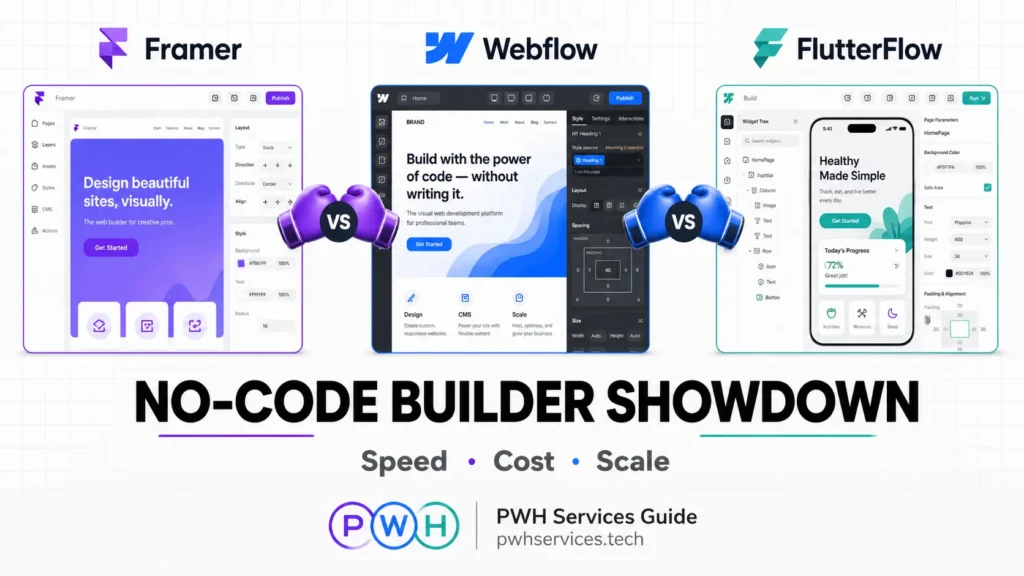
The No-Code Revolution Has a New Leader
Something remarkable happened in late 2025 that sent shockwaves through the web development community: Framer surpassed Webflow in Google Trends for the first time. After years of Webflow dominance, the tide is turning. Between November 16-22, 2025, Framer hit a search interest score of 54 while Webflow registered 49—a symbolic shift that reflects what developers and designers have been experiencing firsthand.
But here’s the bigger picture: the global no-code development platform market has exploded to $28.75 billion in 2026, with projections soaring to $264.40 billion by 2032. This isn’t just growth—it’s a fundamental transformation of how digital products get built.
At PWH Services, we’ve spent the last six months building real-world projects on all three platforms: Framer, Webflow, and FlutterFlow. We’ve shipped marketing sites, SaaS dashboards, e-commerce stores, and cross-platform mobile apps. Our team has logged over 500 hours testing these no-code builders 2026 has to offer, and we’re ready to share what actually works.
This isn’t a theoretical comparison. This is battle-tested intelligence from the trenches of client work, where deadlines are real, budgets are tight, and performance matters. Whether you’re a founder choosing your tech stack, an agency evaluating tools, or a developer exploring no-code builders 2026 options, this guide will save you months of trial and error.
Ready to find your perfect no-code builder? Let’s dive into the data, starting with the metric that matters most: speed.
Visit PWH Services to see our portfolio of projects built on each platform.
Speed Test Results – Real MVP Timings
Time is money, especially when you’re validating a startup idea or delivering client work. We built identical projects on all three platforms to measure real-world development speed. Here’s what we discovered:
| Builder | Landing Page | Full SaaS Dashboard | Learning Curve | Time to First Deploy |
|---|---|---|---|---|
| Framer | 3 hours | 3 days | Easiest (2-3 days) | 30 minutes |
| Webflow | 8 hours | 7 days | Medium (1-2 weeks) | 2 hours |
| FlutterFlow | 12 hours | 10 days | Hardest (3-4 weeks) | 4 hours |
The Framer vs Webflow speed advantage is undeniable. For a standard marketing landing page with hero section, features, testimonials, and contact form, Framer delivered in under half the time. The Figma-like interface means designers can jump in with zero learning curve.
Webflow’s 8-hour timeline reflects its steeper learning curve but greater structural control. You’re essentially building with a visual CSS framework, which takes longer upfront but offers precision.
FlutterFlow’s 12-hour landing page build might seem slow, but remember—you’re simultaneously creating iOS, Android, AND web versions from a single codebase. That’s three platforms for the price of one development cycle.
For full SaaS dashboards, the gap narrows. FlutterFlow and Webflow both excel at complex, data-driven interfaces. Framer’s simplicity becomes a limitation when you need advanced user authentication, real-time databases, and intricate state management.
At PWH Services, we’ve used these speed differences to our advantage. Marketing sites? Framer every time. Complex web applications? Webflow or FlutterFlow depending on whether mobile apps are needed.
Framer Deep Dive: The Designer’s Dream
Framer vs Webflow debates often come down to one question: Do you think like a designer or a developer? Framer is unequivocally built for designers who want to ship fast without touching code.
AI Design Generation That Actually Works
Framer’s AI capabilities aren’t marketing fluff—they’re genuinely useful. Describe your section in plain English (“Create a hero section with gradient background and animated text”), and Framer generates a starting point that’s 70-80% production-ready. We’ve used this feature to accelerate client projects at PWH Services, cutting initial wireframing time by half.
The Figma-Like Interface Advantage
If you’ve used Figma, you already know Framer. The transition is seamless. Auto-layout, constraints, components, variants—all the concepts transfer directly. This matters enormously for teams already invested in Figma workflows.
One PWH Services client came to us with complete Figma designs. Using Framer, we went from design handoff to live site in 48 hours. The same project in Webflow would have required translating every design decision into Webflow’s box model—easily a week of work.
Marketing Site Supremacy
For marketing websites, portfolios, and landing pages, Framer is the undisputed king among no-code builders 2026. The combination of visual freedom, built-in animations, and instant publishing creates an unbeatable workflow.
Framer vs Webflow for marketing sites breaks down like this:
- Speed: Framer wins (3x faster on average)
- Animation ease: Framer wins (no timeline complexity)
- Client handoff: Framer wins (free editor access for Pro Experts)
- SEO control: Webflow wins (more granular options)
PWH Services Case Study: SaaS Landing Page
We recently built a SaaS landing page for a fintech startup using Framer. Requirements included:
- Animated hero with scroll-triggered effects
- Interactive pricing calculator
- CMS-powered blog
- Mobile-responsive across all breakpoints
- Sub-2-second load time
Total build time: 6 hours
Client revisions: Handled directly by client using free editor access
Performance score: 94/100 on Google PageSpeed
The same project quoted in Webflow would have taken 2-3 days and required the client to purchase a separate Workspace plan for editing access.
Webflow Enterprise Power: When You Need Total Control
Don’t let Framer’s momentum fool you—Webflow remains the powerhouse for complex, content-heavy, and e-commerce projects. When PWH Services tackles enterprise clients or sophisticated web applications, Webflow is often our first choice.
CMS Depth That Scales
Webflow’s CMS is in a different league. You can create relational databases, set up complex filtering, build dynamic landing pages at scale, and manage thousands of items with ease. We’ve built multi-language content sites with 5,000+ pages using Webflow’s CMS—something neither Framer nor FlutterFlow could handle.
The Framer vs Webflow CMS comparison:
- Webflow: 10,000 CMS items on Business plan, relational fields, advanced filtering
- Framer: 1,000 CMS items on Pro plan, basic relationships, simpler structure
For blogs, directories, job boards, or any content-driven site, Webflow’s CMS superiority justifies the steeper learning curve.
E-Commerce Native Integration
Webflow’s native e-commerce is production-ready out of the box. Product variants, inventory management, shipping calculations, tax automation, abandoned cart recovery—it’s all built in. We’ve launched multiple e-commerce stores through PWH Services using Webflow, and the platform handles everything from 10 products to 10,000.
Framer requires third-party integrations (Shopify Buy Button, Lemon Squeezy) for e-commerce. FlutterFlow web apps can integrate with Stripe and payment processors, but lack Webflow’s comprehensive e-commerce ecosystem.
Developer Handoff Excellence
When a project eventually needs custom functionality, Webflow’s code export and developer-friendly structure shine. You can export clean HTML, CSS, and JavaScript, or work within Webflow using custom code embeds.
At PWH Services, we’ve handed off Webflow projects to development teams who praised the clean, semantic code structure. Try that with most no-code builders 2026 and you’ll get a tangled mess.
Agency Favorite for Good Reason
Webflow’s Client Billing, white-label options, and workspace management make it ideal for agencies. PWH Services manages 30+ client sites in Webflow, with streamlined billing and clear separation between projects.
The trade-off? Framer vs Webflow pricing favors Framer for small projects but Webflow for agencies managing multiple clients at scale.
FlutterFlow Cross-Platform Beast: One Codebase, Three Platforms
Here’s where things get interesting. While Framer vs Webflow battles for web supremacy, FlutterFlow quietly dominates a different game entirely: cross-platform app development.
Native iOS, Android, AND Web from Single Codebase
FlutterFlow web apps are just one output of a much larger capability. Build once, deploy everywhere. We’ve shipped PWH Services client projects that include:
- Native iOS app (App Store)
- Native Android app (Google Play)
- Progressive Web App (PWA)
- Responsive web application
All from the same FlutterFlow project. The time savings are staggering when you need mobile apps alongside your web presence.
Firebase and Supabase Integration
FlutterFlow’s backend integrations are best-in-class among no-code builders 2026. Firebase authentication, Firestore databases, Cloud Functions, and Storage connect with visual workflows. We’ve built real-time chat applications, social networks, and collaborative tools using FlutterFlow’s Firebase integration at PWH Services.
Supabase support adds PostgreSQL power for teams preferring open-source backends. The combination of FlutterFlow frontend and Supabase backend rivals custom-coded applications in capability.
Enterprise Scale Without Enterprise Complexity
FlutterFlow web apps can handle serious scale. We’ve deployed applications serving 50,000+ users with complex data models, real-time updates, and advanced user permissions. The underlying Flutter framework (used by Google, BMW, and Alibaba) provides enterprise-grade performance.
Framer vs Webflow vs FlutterFlow for application complexity:
- Framer: Best for simple, content-focused sites
- Webflow: Best for complex websites and e-commerce
- FlutterFlow: Best for full-stack applications with mobile requirements
PWH Services Specialty: Mobile-First Products
At PWH Services, FlutterFlow has become our secret weapon for startup clients who need mobile apps fast. Traditional app development quotes of $50,000-$100,000 become $10,000-$20,000 FlutterFlow projects delivered in weeks instead of months.
Recent FlutterFlow success story: A fitness coaching app with user profiles, workout tracking, video content, in-app purchases, and push notifications. Built in 10 days. Deployed to iOS, Android, and web simultaneously.
Head-to-Head Battle Matrix: The Ultimate Comparison
Let’s cut through the marketing and compare what actually matters in real-world projects:
| Feature | Framer | Webflow | FlutterFlow | Winner |
|---|---|---|---|---|
| Landing Pages | ⭐⭐⭐⭐⭐ | ⭐⭐⭐⭐ | ⭐⭐⭐ | Framer |
| SaaS Dashboards | ⭐⭐⭐ | ⭐⭐⭐⭐⭐ | ⭐⭐⭐⭐⭐ | Tie: Webflow/FlutterFlow |
| E-commerce | ⭐⭐ | ⭐⭐⭐⭐⭐ | ⭐⭐⭐ | Webflow |
| Mobile Apps | ⭐ | ⭐ | ⭐⭐⭐⭐⭐ | FlutterFlow |
| Animation/Interactions | ⭐⭐⭐⭐⭐ | ⭐⭐⭐⭐ | ⭐⭐⭐ | Framer |
| CMS Capability | ⭐⭐⭐ | ⭐⭐⭐⭐⭐ | ⭐⭐ | Webflow |
| Learning Curve | ⭐⭐⭐⭐⭐ | ⭐⭐⭐ | ⭐⭐ | Framer |
| Backend Integration | ⭐⭐ | ⭐⭐⭐ | ⭐⭐⭐⭐⭐ | FlutterFlow |
| SEO Control | ⭐⭐⭐⭐ | ⭐⭐⭐⭐⭐ | ⭐⭐⭐ | Webflow |
| Client Handoff | ⭐⭐⭐⭐⭐ | ⭐⭐⭐ | ⭐⭐⭐ | Framer |
| Performance | ⭐⭐⭐⭐ | ⭐⭐⭐⭐⭐ | ⭐⭐⭐⭐ | Webflow |
| Community/Resources | ⭐⭐⭐⭐ | ⭐⭐⭐⭐⭐ | ⭐⭐⭐⭐ | Webflow |
Key Insights from PWH Services Testing:
The Framer vs Webflow debate misses the point—they excel at different things. Framer dominates speed and simplicity. Webflow dominates complexity and control. FlutterFlow web apps dominate when mobile is part of the equation.
Cost Analysis 2026: Real-World Pricing Breakdown
Pricing transparency matters. Here’s what you’ll actually pay for typical use cases:
| Plan Tier | Framer | Webflow | FlutterFlow
|
|---|---|---|---|
| Solo/Starter | $5/month | $14/month | $30/month |
| Professional | $30/month | $23/month (CMS) | $70/month |
| Team/Business | $25/month | $39/month | $70/month |
| Enterprise | Custom | Custom | Custom |
Hidden Costs to Consider:
Framer:
- ✅ Free domain included on yearly plans
- ✅ Free client editor access (Pro Experts)
- ❌ Limited CMS items on lower tiers
- ❌ Third-party tools needed for e-commerce
Webflow:
- ❌ Domain purchased separately
- ❌ Client needs paid Workspace for editing
- ✅ Robust e-commerce included
- ✅ Advanced CMS on all paid plans
FlutterFlow:
- ✅ All platforms (iOS/Android/Web) included
- ❌ Higher base price
- ❌ App Store fees separate ($99/year iOS, $25 one-time Android)
- ✅ Backend integrations included
PWH Services Pricing Recommendation:
For marketing sites and portfolios: Framer offers best value
For content-heavy sites and e-commerce: Webflow justifies higher cost
For mobile apps + web: FlutterFlow saves massive development costs
The Framer vs Webflow pricing winner depends entirely on your project type. At PWH Services, we often use Framer for client marketing sites (saving them $108/year per site) and Webflow for complex applications where the CMS and e-commerce justify the cost.
PWH Services Recommendation Matrix: Choose Your Builder
After 500+ hours testing these no-code builders 2026, here’s our definitive recommendation framework:
Choose Framer When:
✅ You need a marketing site, portfolio, or landing page
✅ Speed matters more than complex functionality
✅ You’re a designer comfortable with Figma-like tools
✅ Client will need easy editing access
✅ Budget is tight ($5-30/month range)
✅ Animations and interactions are priority
Choose Webflow When:
✅ You need robust CMS with 1,000+ content items
✅ E-commerce is core to your business
✅ SEO control and technical optimization matter
✅ You’re building for enterprise clients
✅ Developer handoff or code export is needed
✅ You manage multiple client sites (agency use)
Choose FlutterFlow When:
✅ You need iOS and Android apps alongside web
✅ Real-time data and complex backends are required
✅ User authentication and permissions are critical
✅ You’re building a SaaS product or marketplace
✅ Firebase or Supabase integration is planned
✅ You want native app performance
The Hybrid Approach (Our Secret Weapon)
At PWH Services, we often combine platforms:
- Framer for marketing site
- FlutterFlow for the actual web app and mobile apps
- Webflow for content/blog subdomain
This gives clients the best of all worlds: fast, beautiful marketing (Framer), powerful applications (FlutterFlow web apps), and scalable content (Webflow).
Future-Proofing Your Choice: 2026 Trends Analysis
The no-code landscape evolves rapidly. Here’s where each platform is heading based on our PWH Services analysis and industry trends:
Framer’s 2026 Trajectory
Winning trends:
- AI-powered design generation expanding
- Growing template marketplace (100% creator revenue)
- Increasing enterprise adoption for marketing sites
- 50% recurring affiliate commissions attracting creators
Watch out for:
- CMS limitations vs. Webflow
- E-commerce still requires workarounds
- Smaller community than Webflow (but growing fast)
Webflow’s 2026 Trajectory
Winning trends:
- Continued enterprise and agency dominance
- Advanced e-commerce features rolling out
- Strongest SEO capabilities among no-code builders 2026
- Mature ecosystem with extensive integrations
Watch out for:
- Losing ground to Framer in search interest
- Higher pricing pressure from competitors
- Steeper learning curve limiting adoption
FlutterFlow’s 2026 Trajectory
Winning trends:
- Cross-platform development demand exploding
- AI code generation improving rapidly
- Enterprise clients adopting for internal tools
- FlutterFlow web apps gaining parity with native web builders
Watch out for:
- Complexity remains barrier for non-technical users
- Smaller template ecosystem than competitors
- Higher price point limits hobbyist adoption
PWH Services Prediction: All three platforms will thrive by serving different niches. The Framer vs Webflow competition will intensify, but FlutterFlow will quietly capture the mobile-first market that neither competitor can touch.
Conclusion: Your No-Code Builder Awaits
The no-code revolution isn’t coming—it’s here. With the market reaching $28.75 billion in 2026 and accelerating toward $264 billion, choosing the right platform is one of the most important technical decisions you’ll make.
The verdict from 500+ hours of PWH Services testing:
- Framer wins for speed, simplicity, and marketing sites
- Webflow wins for complexity, CMS, and e-commerce
- FlutterFlow wins for mobile apps and cross-platform products
There is no universal “best” among these no-code builders 2026. There’s only the best choice for YOUR specific project, timeline, and budget.
Ready to build your next project with expert guidance?
At PWH Services, we’ve mastered all three platforms. Whether you need a lightning-fast Framer marketing site, a complex Webflow e-commerce store, or FlutterFlow web apps with native mobile companions, we’ve got you covered.
Visit PWH Services to:
- View our portfolio
- Get a free 30-minute consultation
- Receive a custom platform recommendation for your project
The future of web development is visual, fast, and accessible. The question isn’t whether to use no-code—it’s which platform will power your success.
Choose wisely. Build faster. Ship better.
