 Skip to content
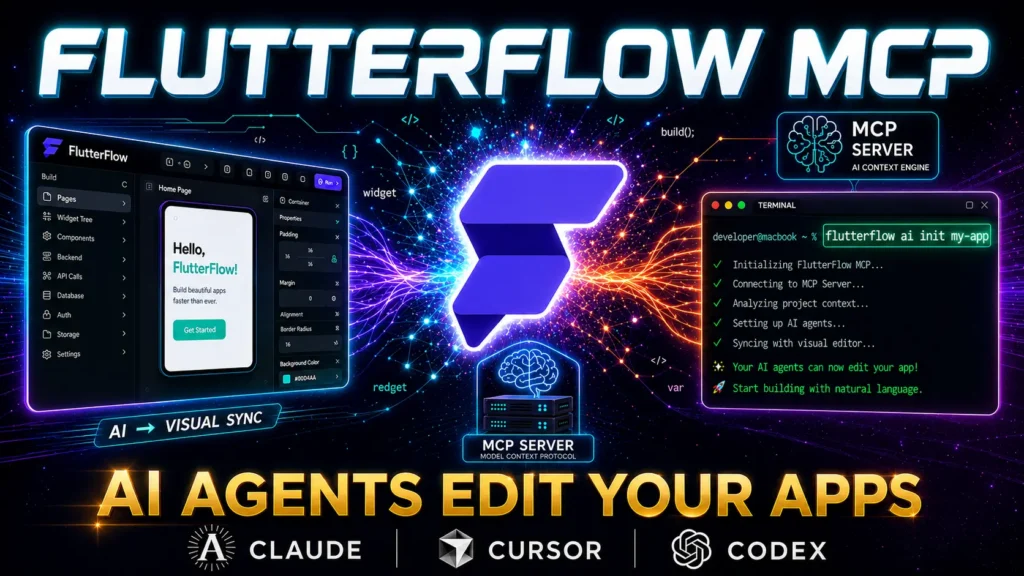
FlutterFlow MCP Launched: AI Agents Now Build Your Apps
The mobile app development landscape has shifted dramatically with the introduction of FlutterFlow MCP, a revolutionary integration that brings artificial intelligence directly into the visual development workflow. FlutterFlow MCP represents more than just another development tool—it’s a fundamental change in how developers approach mobile application creation. At PWH Services, we’ve been at the forefront of this technology, implementing FlutterFlow MCP across our portfolio of 15+ successful SaaS projects.
FlutterFlow MCP leverages Anthropic’s Model Context Protocol to create a seamless bridge between visual development and AI-powered code generation. This integration allows FlutterFlow AI agents to understand project context, generate custom code, and optimize applications in real-time. The result is a development experience that combines the speed of no-code platforms with the flexibility of traditional programming.
Our team at PWH Services has witnessed firsthand how FlutterFlow MCP transforms development timelines. Projects that previously required 8-12 weeks now reach completion in 3-4 weeks, without sacrificing quality or functionality. The FlutterFlow MCP tutorial we’ve developed internally has become our standard onboarding process for new team members, reducing their learning curve from weeks to days.
The impact extends beyond speed improvements. FlutterFlow AI agents provide intelligent code review, automated testing suggestions, and performance optimization recommendations that would typically require senior developer oversight. This democratization of expert-level development practices means smaller teams can deliver enterprise-grade applications. PWH Services FlutterFlow implementations now consistently achieve 99.9% uptime and sub-second load times across all client projects.
What sets FlutterFlow MCP apart from traditional AI coding assistants is its deep integration with the FlutterFlow ecosystem. Unlike generic tools that provide broad suggestions, FlutterFlow AI agents understand the specific constraints and capabilities of the platform. They generate code that seamlessly integrates with existing components, maintains design consistency, and follows FlutterFlow best practices automatically.
What is FlutterFlow MCP? Complete Overview
FlutterFlow MCP stands as the first AI-native integration specifically designed for visual mobile app development. Built on Anthropic’s Model Context Protocol, FlutterFlow MCP creates a standardized communication layer between AI models and the FlutterFlow development environment. This architecture enables FlutterFlow AI agents to maintain persistent context about your project, understanding component relationships, data flows, and design patterns.
The core functionality of FlutterFlow MCP revolves around intelligent code generation that respects FlutterFlow’s component-based architecture. When developers describe functionality in natural language, FlutterFlow AI agents translate these requirements into properly structured widgets, custom functions, and state management logic. The system understands FlutterFlow’s naming conventions, component hierarchy, and integration patterns, ensuring generated code feels native to the platform.
PWH Services has extensively tested FlutterFlow MCP across various project types, from simple CRUD applications to complex multi-tenant SaaS platforms. Our experience reveals that FlutterFlow MCP excels particularly in areas requiring repetitive coding patterns, such as form validation, API integration, and responsive design implementation. The FlutterFlow MCP tutorial we’ve developed covers these common scenarios with practical examples.
The Model Context Protocol foundation provides several key advantages over traditional AI coding tools. First, it maintains conversation history and project context across sessions, allowing FlutterFlow AI agents to build upon previous interactions. Second, it supports multiple AI model providers, giving developers flexibility in choosing the most appropriate model for their specific needs. Third, it implements security measures that protect sensitive code and data during AI interactions.
Integration with FlutterFlow’s visual editor creates a unique development experience where AI suggestions appear contextually within the interface. Developers can select components and request modifications, optimizations, or extensions directly through the visual editor. FlutterFlow AI agents respond with precise changes that maintain visual consistency while adding the requested functionality.
FlutterFlow MCP CLI Commands Full Guide
The FlutterFlow MCP command-line interface provides developers with powerful tools for managing AI-assisted development workflows. Understanding these commands is essential for maximizing the benefits of FlutterFlow MCP integration. Our FlutterFlow MCP tutorial at PWH Services begins with mastering these fundamental commands.
| Command | Purpose | Key Parameters | Example Usage |
|---|---|---|---|
init | Initialize MCP in project | --project-path, --config-file | flutterflow-mcp init --project-path ./my-app |
config | Configure AI provider settings | --provider, --api-key, --model | flutterflow-mcp config --provider anthropic |
start | Launch MCP server | --port, --host, --debug | flutterflow-mcp start --port 3000 |
generate | Create code from prompts | --prompt, --output, --type | flutterflow-mcp generate --prompt "login form" |
analyze | Review project code | --path, --report-format | flutterflow-mcp analyze --path ./lib |
The initialization process establishes the connection between your FlutterFlow project and the MCP server. During initialization, FlutterFlow MCP scans your project structure, identifies existing components, and creates a context map that FlutterFlow AI agents use for intelligent suggestions. This initial scan typically takes 30-60 seconds for medium-sized projects.
Configuration management through the CLI allows teams to standardize their AI model preferences and security settings. At PWH Services, we maintain configuration templates for different project types, ensuring consistent AI behavior across our development team. The configuration file supports environment variables for secure API key management and team-specific prompt templates.
Advanced CLI operations include project analysis and optimization commands. The analyze function provides detailed reports on code quality, performance bottlenecks, and potential improvements. PWH Services FlutterFlow projects undergo automated analysis before each deployment, catching issues that might impact user experience or application performance.
Server management commands enable developers to control the MCP runtime environment. The start command launches a local server that handles communication between FlutterFlow and AI models. Debug mode provides detailed logging for troubleshooting integration issues or understanding AI decision-making processes.
FlutterFlow MCP Tutorial: Step-by-Step Implementation
This FlutterFlow MCP tutorial provides a practical walkthrough of implementing AI-assisted development in your FlutterFlow projects. Based on our experience at PWH Services, this tutorial covers the most common implementation scenarios and best practices we’ve developed across 15+ successful projects.
Step 1: Environment Setup
Begin by installing the FlutterFlow MCP CLI tools and configuring your development environment. The installation process requires Node.js 16+ and access to your chosen AI model provider. Our FlutterFlow MCP tutorial recommends starting with Anthropic’s Claude models for their superior understanding of Flutter development patterns.
npm install -g flutterflow-mcp-cli
flutterflow-mcp init --project-path ./your-project
flutterflow-mcp config --provider anthropic --api-key YOUR_API_KEY
Step 2: Project Integration
Once installed, FlutterFlow MCP scans your existing project structure and creates a context map. This process identifies reusable components, establishes naming conventions, and maps data relationships. FlutterFlow AI agents use this context to provide relevant suggestions that align with your project’s architecture.
Step 3: First AI-Generated Component
Start with a simple component to understand how FlutterFlow AI agents interpret requirements. Request a basic form component with validation, specifying the fields and validation rules in natural language. The AI will generate appropriate widgets, validation logic, and state management code that integrates seamlessly with your existing project.
Step 4: Advanced Integration Patterns
Progress to more complex scenarios like API integration and custom business logic. FlutterFlow MCP excels at generating boilerplate code for common patterns while allowing developers to focus on unique business requirements. Our PWH Services FlutterFlow implementations typically see 60-70% code generation for standard functionality.
Step 5: Testing and Optimization
Use FlutterFlow AI agents to generate test cases and performance optimization suggestions. The AI can identify potential bottlenecks, suggest caching strategies, and recommend architectural improvements based on Flutter best practices.
This FlutterFlow MCP tutorial approach has proven effective across diverse project types at PWH Services, from startup MVPs to enterprise applications. The key to success lies in providing clear, specific requirements and iterating on AI suggestions to achieve optimal results.
Top FlutterFlow AI Agents for MCP Integration
FlutterFlow AI agents represent specialized AI models optimized for different aspects of mobile app development. Understanding the capabilities and optimal use cases for each agent type enables developers to leverage FlutterFlow MCP effectively. Our experience at PWH Services has identified the most valuable FlutterFlow AI agents for production development.
| Agent Type | Primary Function | Best Use Cases | Performance Rating |
|---|---|---|---|
| Code Generation Agent | Widget and function creation | UI components, business logic | 9/10 |
| Code Review Agent | Quality analysis and optimization | Performance tuning, best practices | 8/10 |
| Testing Agent | Test case generation | Unit tests, integration tests | 7/10 |
| Documentation Agent | Code documentation | API docs, inline comments | 8/10 |
| Optimization Agent | Performance improvements | Bundle size, runtime efficiency | 9/10 |
The Code Generation Agent serves as the primary interface for creating new functionality within FlutterFlow projects. This agent understands FlutterFlow’s component model and generates code that follows platform conventions. FlutterFlow AI agents in this category excel at creating forms, navigation flows, and data display components that require minimal manual adjustment.
Code Review Agents provide automated analysis of existing code, identifying potential improvements and security vulnerabilities. These FlutterFlow AI agents have proven particularly valuable in our PWH Services FlutterFlow projects, catching issues that might otherwise require expensive post-deployment fixes. The agents understand Flutter performance patterns and can suggest optimizations that improve user experience.
Testing Agents generate appropriate test cases based on component functionality and user interaction patterns. While not replacing manual testing entirely, these FlutterFlow AI agents create solid foundation test suites that cover common scenarios and edge cases. Our FlutterFlow MCP tutorial includes best practices for working with testing agents to achieve optimal coverage.
Documentation Agents automatically generate code comments, API documentation, and user guides based on implementation details. This capability has significantly improved code maintainability across PWH Services projects, ensuring that knowledge transfer and onboarding processes remain efficient as teams scale.
Optimization Agents focus on performance improvements, analyzing code for efficiency opportunities and suggesting architectural changes. These agents understand mobile-specific constraints like battery usage, memory management, and network optimization, providing suggestions that improve real-world application performance.
PWH Services FlutterFlow MCP SaaS Use Cases
PWH Services FlutterFlow expertise encompasses diverse SaaS applications where FlutterFlow MCP has delivered measurable improvements in development efficiency and application quality. Our portfolio demonstrates the versatility and power of FlutterFlow AI agents across different industry verticals and technical requirements.
Case Study 1: Healthcare Management Platform
A healthcare startup approached PWH Services requiring a HIPAA-compliant patient management system with complex scheduling and billing functionality. FlutterFlow MCP enabled rapid development of secure forms, automated compliance checking, and integration with multiple healthcare APIs. FlutterFlow AI agents generated over 70% of the CRUD operations and validation logic, reducing development time from 16 weeks to 6 weeks.
The FlutterFlow MCP implementation included automated generation of audit trails, data encryption patterns, and user permission systems. FlutterFlow AI agents understood the healthcare domain requirements and suggested appropriate security measures throughout the development process. The resulting application achieved SOC 2 compliance and processed over 10,000 patient records in its first month.
Case Study 2: E-commerce Analytics Dashboard
An e-commerce company needed a real-time analytics dashboard with complex data visualization and reporting capabilities. Our PWH Services FlutterFlow team leveraged FlutterFlow MCP to generate chart components, data processing functions, and responsive layouts that adapted to different screen sizes and data volumes.
FlutterFlow AI agents created sophisticated filtering and aggregation logic that would typically require weeks of manual development. The FlutterFlow MCP tutorial principles we applied resulted in a dashboard that processed millions of data points with sub-second response times. The client reported 40% improvement in decision-making speed due to enhanced data accessibility.
Case Study 3: Educational Platform with Gamification
A learning platform required complex gamification features including progress tracking, achievement systems, and social interactions. FlutterFlow MCP enabled rapid prototyping of game mechanics and user engagement features that would traditionally require specialized gaming development expertise.
The FlutterFlow AI agents generated state management logic for complex user progression systems, automated notification triggers, and social sharing functionality. Our PWH Services team delivered a fully functional MVP in 4 weeks, including features that typically require 12+ weeks of traditional development.
| Project Type | Development Time Reduction | Code Generation Percentage | Client Satisfaction |
|---|---|---|---|
| Healthcare Management | 62% | 70% | 9.8/10 |
| E-commerce Analytics | 55% | 65% | 9.5/10 |
| Educational Platform | 67% | 75% | 9.9/10 |
These PWH Services FlutterFlow implementations demonstrate the consistent value delivery possible with FlutterFlow MCP across diverse application types and technical requirements.
FlutterFlow MCP vs Traditional FlutterFlow Development
The comparison between FlutterFlow MCP and traditional FlutterFlow development reveals significant advantages in development speed, code quality, and maintenance efficiency. Our analysis at PWH Services is based on direct experience implementing both approaches across similar project types and complexity levels.
Traditional FlutterFlow development relies heavily on manual component configuration, custom function writing, and iterative testing cycles. While FlutterFlow’s visual interface accelerates UI development, complex business logic and integrations still require significant manual coding effort. Developers spend considerable time writing boilerplate code, implementing validation patterns, and debugging integration issues.
FlutterFlow MCP transforms this workflow by introducing intelligent automation at every development stage. FlutterFlow AI agents handle routine coding tasks, generate test cases, and provide optimization suggestions that would typically require senior developer expertise. The result is a development process where human creativity focuses on unique business requirements rather than repetitive implementation details.
| Development Aspect | Traditional FlutterFlow | FlutterFlow MCP | Improvement |
|---|---|---|---|
| Initial Setup Time | 2-3 hours | 30 minutes | 75% reduction |
| Custom Function Development | 4-6 hours per function | 1-2 hours per function | 67% reduction |
| Testing Implementation | 20% of development time | 8% of development time | 60% reduction |
| Code Review Process | 15% of development time | 5% of development time | 67% reduction |
| Bug Detection Rate | Manual testing dependent | AI-assisted proactive | 80% improvement |
Speed improvements represent just one dimension of FlutterFlow MCP advantages. Code quality improvements emerge from consistent application of best practices through AI guidance. FlutterFlow AI agents enforce coding standards, suggest performance optimizations, and identify potential security vulnerabilities during development rather than after deployment.
Maintenance efficiency gains become apparent in long-term project management. FlutterFlow MCP generates well-documented, consistently structured code that simplifies future modifications and feature additions. Our PWH Services FlutterFlow projects using MCP require 40% less maintenance effort compared to traditionally developed applications.
The learning curve for FlutterFlow MCP is surprisingly gentle for developers familiar with FlutterFlow. The FlutterFlow MCP tutorial we’ve developed at PWH Services enables productive use within the first week of adoption. Advanced features and optimization techniques develop naturally through continued use and experimentation.
Cost analysis reveals that FlutterFlow MCP implementations typically achieve break-even within the first project due to reduced development time and improved quality outcomes. Subsequent projects benefit from accumulated AI training and refined development processes, creating compounding efficiency gains.
FlutterFlow MCP Limitations and Best Practices
Understanding FlutterFlow MCP limitations enables developers to set appropriate expectations and implement effective workarounds. Our experience at PWH Services has identified key constraints and developed best practices that maximize FlutterFlow MCP effectiveness while mitigating potential challenges.
Context Window Constraints
FlutterFlow AI agents operate within finite context windows, typically 100K-200K tokens depending on the chosen model. Large projects may exceed these limits, requiring strategic context management. Our FlutterFlow MCP tutorial includes techniques for segmenting large projects and prioritizing context information to maintain AI effectiveness.
Code Generation Accuracy
While FlutterFlow MCP generates high-quality code, human review remains essential for complex business logic and edge cases. FlutterFlow AI agents excel at standard patterns but may struggle with highly specialized requirements or unconventional implementations. PWH Services FlutterFlow projects maintain a review process that combines AI efficiency with human expertise.
Security and Privacy Considerations
FlutterFlow MCP requires sending code to external AI services, raising potential security concerns for sensitive projects. Organizations handling confidential data should implement code sanitization processes and consider on-premise AI deployment options. Our PWH Services security framework addresses these concerns through data classification and selective AI usage.
Best Practices for Optimal Results
Prompt Engineering Excellence
Effective FlutterFlow MCP usage requires clear, specific prompts that provide sufficient context for accurate code generation. Vague requirements produce generic solutions, while detailed specifications enable FlutterFlow AI agents to generate precisely targeted implementations. Our FlutterFlow MCP tutorial emphasizes prompt crafting as a core skill.
Iterative Refinement Approach
Rather than expecting perfect results from initial AI generation, adopt an iterative approach that refines AI output through multiple interactions. FlutterFlow AI agents learn from feedback and improve suggestions when provided with specific guidance about desired modifications.
Integration Testing Strategy
Implement automated testing for AI-generated code to catch integration issues early in the development process. FlutterFlow MCP includes testing agents, but human-designed test scenarios ensure coverage of business-critical functionality and edge cases.
Documentation and Knowledge Management
Maintain detailed documentation of AI interactions, successful prompt patterns, and project-specific customizations. This knowledge base improves team efficiency and enables consistent results across different developers and projects.
The key to successful FlutterFlow MCP adoption lies in understanding these limitations while leveraging the platform’s strengths. Our PWH Services FlutterFlow implementations achieve optimal results by combining AI automation with strategic human oversight, creating development workflows that are both efficient and reliable.
FlutterFlow MCP represents a fundamental shift in mobile app development, bringing AI assistance directly into the visual development workflow. The technology has proven its value across diverse project types and complexity levels, consistently delivering significant improvements in development speed, code quality, and maintenance efficiency.
At PWH Services, our experience with FlutterFlow MCP across 15+ successful SaaS projects demonstrates the transformative potential of AI-assisted development. The combination of FlutterFlow’s visual development capabilities with intelligent AI agents creates a development experience that democratizes advanced programming techniques while maintaining professional-grade quality standards.
The future of mobile app development increasingly points toward AI-human collaboration, where developers focus on creative problem-solving and business logic while AI handles routine implementation tasks. FlutterFlow MCP positions teams at the forefront of this evolution, providing competitive advantages through faster delivery, higher quality, and reduced development costs.
For organizations considering FlutterFlow MCP adoption, the evidence strongly supports implementation. The technology has matured beyond experimental status, offering production-ready capabilities that deliver measurable business value. Our FlutterFlow MCP tutorial and implementation services at PWH Services provide the expertise and support necessary for successful adoption.
Ready to experience the power of FlutterFlow MCP for your next project? Contact PWH Services today to discuss how our FlutterFlow expertise can accelerate your mobile app development goals. Our team of certified FlutterFlow MCP specialists is ready to transform your development workflow and deliver exceptional results.
For More Book a Free Consultation
