
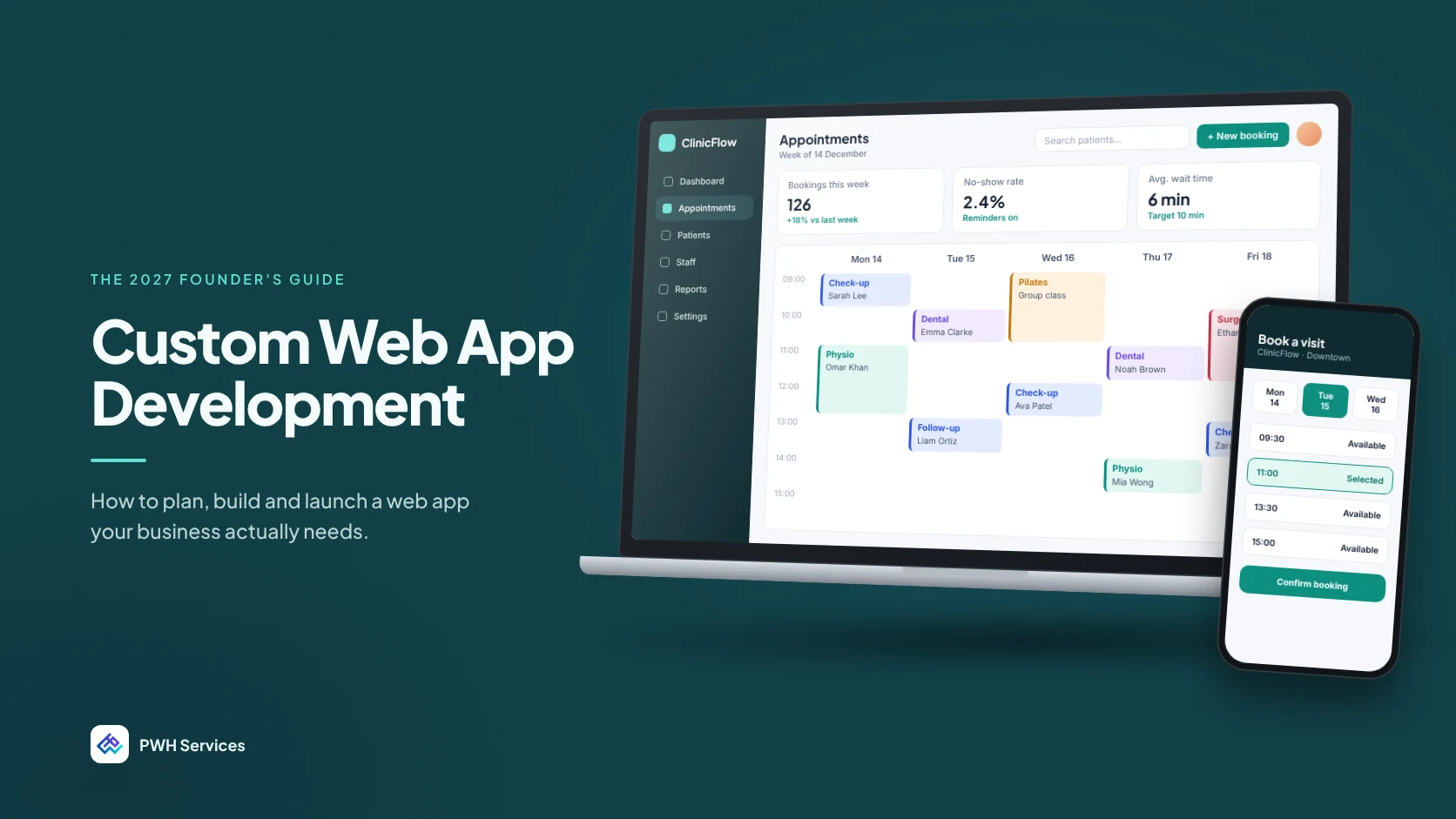
Custom web app development means designing and building a browser-based application around your exact business process, instead of bending your team around off-the-shelf software. Think client portals, booking systems, internal dashboards, marketplaces or a SaaS product. A focused first version usually takes 6 to 12 weeks with an experienced team, and you own the code from day one.
This guide walks you through what a custom web app is, when it beats ready-made tools, how it compares with a mobile app or PWA, the step-by-step development process, the right tech stack, realistic costs and how to choose a team that actually delivers.
What Is Custom Web App Development?
A web app is software that runs in the browser and lets users do things, not just read things. Users log in, enter data, upload files, pay, chat or manage records. A website mainly shows information; a web app gets work done.
Custom web app development is building that software specifically for your business: your workflow, your users, your data and your integrations. Common examples:
- Client and customer portals where customers track orders, invoices or project progress
- Booking and scheduling systems for clinics, salons, tutors or service businesses
- Internal tools and dashboards that replace spreadsheets and manual reporting
- Marketplaces that connect buyers and sellers or clients and providers
- SaaS products that you sell to other businesses on a subscription
Web app vs website: what’s the difference?
A website is mostly read: pages, articles, contact details. A web app is used: people sign in, create records, make bookings, pay or collaborate. Many businesses start with a website and add a web app when customers or staff need to do real work online.
Types of web apps you can build
- Single page apps (SPAs): fast, app-like interfaces such as dashboards and editors.
- Portals: secure areas for customers, partners, students or employees.
- Progressive web apps (PWAs): web apps that can be installed on a phone and work offline.
- SaaS platforms: subscription products used by many companies, each with its own account.
- E-commerce and marketplace apps: custom buying, selling or booking flows that a standard store cannot handle.
Custom Web App vs Off-the-Shelf Software
Ready-made tools are great until your process stops fitting them. This comparison helps you decide.
| Off-the-shelf software | Custom web app | |
|---|---|---|
| Fit to your process | You adapt to the tool | Built around how you work |
| Upfront cost | Low | Higher |
| Long-term cost | Per-user fees grow with your team | No per-user licence fees |
| Integrations | Limited to what the vendor supports | Connect any system with an API |
| Ownership | The vendor owns the product and your data format | You own the code and the data |
| Competitive edge | Same tool as your competitors | A workflow only you have |
A simple rule: if you are paying for several tools, exporting spreadsheets between them every week, or turning customers away because the software cannot do something, a custom web app usually pays for itself.
When Should You Choose Custom Web App Development?
Custom development is the right call when one or more of these is true for your business:
- Your process is unique. Off-the-shelf tools force workarounds that cost your team hours every week.
- You expect fast growth. Per-user licence fees and plan limits get expensive as you scale.
- You need integrations. Your CRM, accounting, booking or ERP systems must talk to each other.
- Security and compliance matter. You handle health, financial or personal data and need full control over it.
- You want to own the product. The software is part of your value, or you plan to sell it as SaaS.
- You want a competitive edge. A better customer experience than competitors who use the same generic tools.
If none of these apply yet, a ready-made tool or a no-code builder may be enough for now.
Web App vs Mobile App vs PWA: Which Should You Build?
Many founders ask whether they need a native mobile app, a web app, or something in between. Here are the real decision factors.
| Option | Best for | Trade-offs |
|---|---|---|
| Web app | Business tools, portals, dashboards and SaaS used mostly on laptops | No app store presence; limited access to some phone features |
| Progressive web app (PWA) | Products that need to feel like an app on phones without the app store | Push notifications and offline mode work, but iOS support is more limited |
| Native or cross-platform mobile app | Consumer apps that rely on the camera, GPS, Bluetooth or frequent daily use | Higher cost, app store reviews and two platforms to maintain |
| Mobile app using a web view | Quickly wrapping an existing web app for the stores | Feels less smooth than a real app and can be rejected by app stores if it adds no value |
For most B2B products, start with a responsive web app, add PWA features when mobile use grows, and build a native app only when users clearly need it. If you do need mobile, our Flutter vs native comparison explains the cheapest route.
How to Develop a Custom Web App: The 7-Step Process
Whoever you hire, a professional web app development process should look like this.
Step 1: Discovery and scope
Define your users, the main problem, the core workflow and the must-have features for version one. The output is a short scope document with priorities, so everyone agrees on what is being built.
Step 2: UX and UI design
Wireframes map every screen and user journey, then the visual design turns them into a clickable prototype. Testing the prototype with a few real users is the cheapest way to avoid expensive rework. Strong UI/UX design pays for itself here.
Step 3: Architecture and tech stack
The team chooses the frontend, backend, database and hosting, and plans user roles, permissions, integrations and how the app will scale. Decisions made here are the hardest to change later.
Step 4: Development in short sprints
Most modern teams follow an Agile approach: work is split into one or two week sprints. At the end of each sprint you see a working demo, give feedback and adjust priorities. You should never wait months to see progress.
Step 5: Testing and security
Every feature is tested on different browsers and screen sizes, along with performance and security checks. A good team checks the app against the OWASP Top 10 security risks before launch.
Step 6: Launch
The app goes live on production hosting with backups, monitoring, error tracking and analytics in place, ideally with a small group of real users first.
Step 7: Support and growth
After launch, real usage data decides what to build next. Plan for ongoing updates, security patches and new features rather than treating launch as the finish line.
Free scope review
Have a web app idea? Get a clear plan and fixed quote
Share your idea in a 30-minute call. We will map the core features, suggest the right tech stack and send a fixed quote with a timeline within 24 hours.
- Clear first-version scope, even if you do not hire us
- Milestones you approve before you pay
- You own 100% of the code
Choosing a Tech Stack for Your Web App
There is no single best stack. The right choice depends on your product, your budget and who will maintain the app later. These are proven, well-supported options.
| Layer | Popular choices | When it fits |
|---|---|---|
| Frontend | React, Next.js, Vue | Fast, interactive interfaces; Next.js adds SEO-friendly pages |
| Backend | Node.js, Laravel (PHP), Django (Python) | Node.js for real-time features, Laravel for fast business apps, Django for data-heavy products |
| Database | PostgreSQL, MySQL, Firebase or Supabase | PostgreSQL for most SaaS; Firebase or Supabase for quick MVPs |
| Hosting | AWS, Google Cloud, Vercel, DigitalOcean | Start simple and scale as users grow |
| Payments and auth | Stripe, Auth0, Firebase Auth | Avoid building login and billing from scratch |
Choose mainstream tools with a large developer community. It keeps hiring easy and protects you if you ever change teams. If you are weighing PHP options, our guide on Laravel vs WordPress explains when each makes sense.
What Drives Web App Development Cost?
- Number of user roles: each role (admin, customer, staff, partner) adds screens and permissions.
- Features and workflows: payments, real-time chat, file uploads, reports and AI features take the most time.
- Integrations: every external system, such as a CRM, payment provider or ERP, adds development and testing.
- Design depth: a clean standard design costs less than a fully custom design system with animations.
- Security and compliance: HIPAA, GDPR or financial rules add audits, logging and documentation.
- Team location and experience: the same app can cost several times more with a local US agency than with an experienced offshore team.
How Much Does It Cost to Develop a Web App?
Cost depends on the number of user roles, features, integrations and the team’s location. These are typical ranges for a professional build, compared with what the same scope usually costs with PWH Services.
| Web app type | Typical scope | US agency price | With PWH Services | Timeline |
|---|---|---|---|---|
| Simple web app or MVP | Login, one core workflow, dashboard, admin panel | $25,000 to $60,000 | From $6,000 | 6 to 10 weeks |
| Medium complexity | Multiple roles, payments, integrations, reports | $60,000 to $150,000 | From $15,000 | 3 to 5 months |
| Complex platform or SaaS | Multi-tenancy, real-time features, AI, compliance | $150,000 and up | From $35,000 | 6 months and up |
Also budget for hosting, third-party services and maintenance, usually 15 to 20 percent of the build cost per year. Before you sign with anyone, use our checklist to compare a development quote line by line.
Web App Development for Startups: Start With an MVP
If you are a startup, do not build everything at once. Launch a minimum viable product with the one workflow that proves your idea, put it in front of real users, then let their behaviour decide what comes next. It cuts your first budget, gets you to market faster and gives investors real traction to look at.
Our guides on SaaS MVP development and MVP development cost show exactly what to include in version one.
Example: scoping a booking web app MVP
A clinic wants patients to book online. Version one needs patient sign-up, a calendar with available slots, booking and cancellation, email reminders and an admin view for staff. Payments, a mobile app and a reporting dashboard wait for version two. That focused scope can launch in about 8 to 10 weeks and still solve the real problem.
How to Choose a Web App Development Agency
The right partner matters more than the tech stack. Before you hire, check these points:
- Relevant work: ask for live web apps similar to yours and a walkthrough of how they were built.
- A clear process: discovery, design, sprints, demos and testing, not just “we will build it”.
- Fixed scope and milestones: you should know what you pay for at each stage.
- Code ownership: the repository, hosting and accounts must be in your name.
- Communication: a named project manager, weekly updates and time zone overlap.
- Support after launch: a plan for bug fixes, updates and new features.
For a longer checklist, read 10 questions to ask before you hire a web development agency.
Industries That Benefit Most From Custom Web Apps
- Healthcare: patient portals, booking and secure records. See our guide to healthcare software development.
- Logistics: order tracking, dispatch and driver management.
- Education: student portals, enrolment and online courses.
- Real estate: listings, lead management and tenant portals.
- Professional services: client portals, proposals, invoicing and project tracking.
Common Web App Development Mistakes to Avoid
- Building every feature in version one. It delays launch and burns budget on features nobody uses.
- Skipping design and going straight to code. Changing a design is cheap; changing code is not.
- Ignoring security until the end. Roles, permissions and data protection must be planned from the start.
- Choosing a team only on price. The cheapest quote often becomes the most expensive rebuild.
- Not owning your code and accounts. If the relationship ends, you should keep everything.
Build Your Custom Web App With PWH Services
Free 30-minute call
Turn your idea into a working web app
PWH Services has delivered 87+ projects for clients in 14+ countries, including the US, UK and Australia. We plan, design, build and launch custom web apps, then keep improving them with you.
- Fixed quote within 24 hours
- Weekly demos and a direct WhatsApp line to the founders
- Post-launch support on every project
Frequently asked questions
Custom web app development is designing and building browser-based software around your own business process, users and data. Instead of adapting your team to an off-the-shelf tool, you get an application that fits how you work and that you fully own.
A simple web app or MVP usually takes 6 to 10 weeks, a medium-complexity app 3 to 5 months, and a complex platform or SaaS product 6 months or more. A clear scope and quick feedback are the biggest factors in staying on schedule.
US-based agencies typically charge $25,000 to $60,000 for a simple web app and much more for complex platforms. With an experienced offshore team like PWH Services, a simple web app or MVP starts from around $6,000, depending on features, integrations and design.
For business tools, portals, dashboards and most SaaS products, a responsive web app is the faster and cheaper first step. Build a mobile app first only if your users need phone features like the camera or GPS, or will use the product many times a day on the go.
There is no single best stack. React or Next.js for the frontend, Node.js, Laravel or Django for the backend and PostgreSQL for the database are proven, well-supported choices. The right mix depends on your features, budget and who will maintain the app.

Written by the PWH Services team, who design and build mobile apps, websites and AI products for startups and growing businesses.