
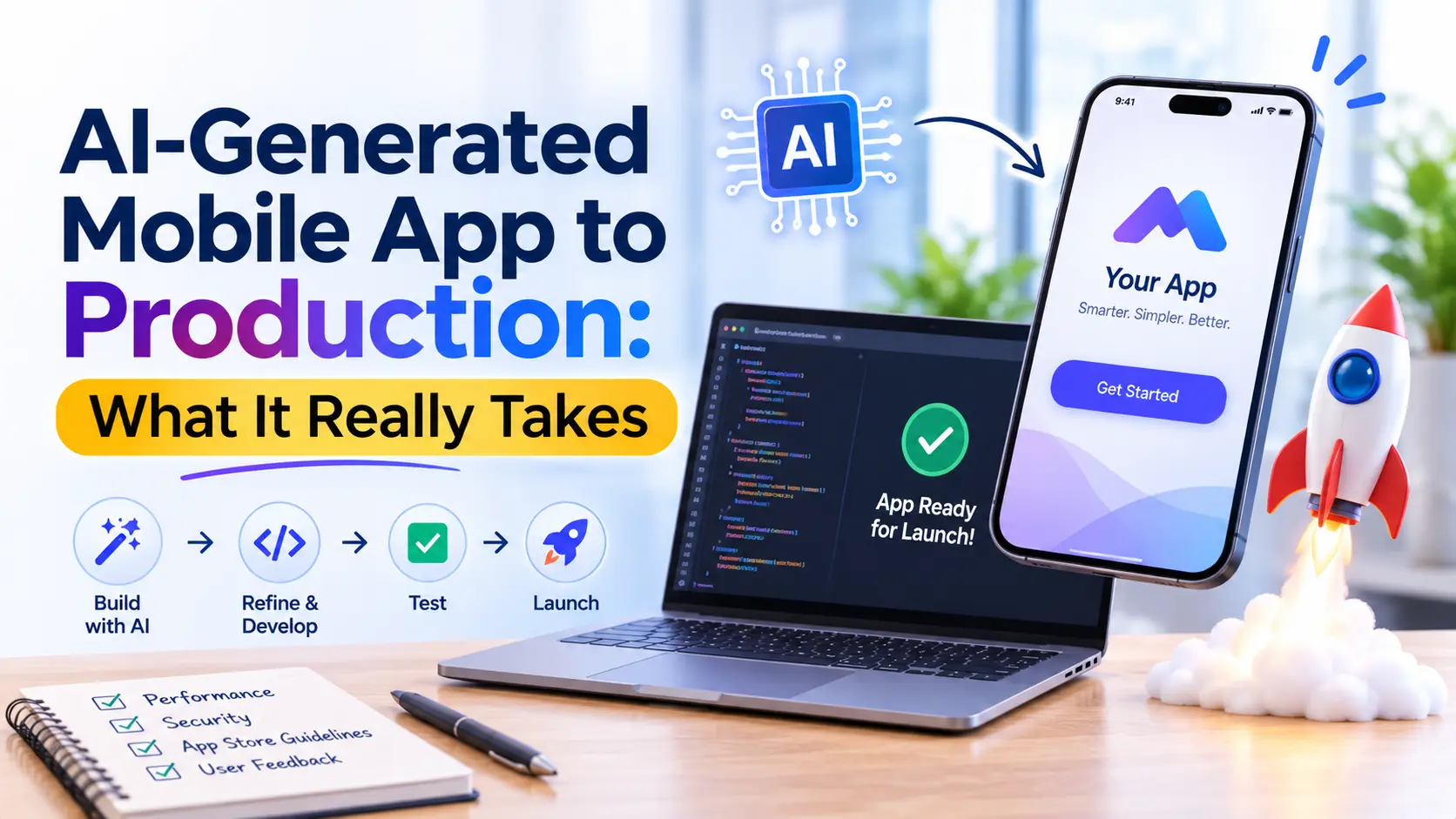
Creating a mobile app with AI tools has become faster than ever. You can generate screens, build basic features, and create a working prototype without writing every line of code manually.
But there is one important difference: a working prototype is not the same as a production-ready mobile app.
If you want to launch your AI-generated app for real users, you need more than an attractive design. You need a reliable backend, secure data handling, proper testing, good performance, and a smooth deployment process.
In this guide, we’ll explain what it takes to turn an AI-generated mobile app into a reliable product that people can actually use.
What Does It Mean to Take an AI-Generated App to Production?
Taking an AI-generated mobile app to production means transforming an initial prototype into a fully functional application that is ready for real users.
This includes connecting the app to a proper backend, protecting user information, fixing bugs, testing important features, and preparing it for release on the Apple App Store or Google Play Store.
AI can help speed up development, but it does not remove the need for technical review and professional testing.
Why Is an AI-Generated App Not Always Production-Ready?
AI tools can generate code and interfaces quickly, but an app may still have important gaps behind the screen.
For example:
- Incomplete backend: Some features may use sample data instead of a working database.
- Security issues: Authentication, permissions, and sensitive data may not be properly protected.
- Unreliable features: Buttons and screens may look complete but fail during real use.
- Performance problems: The app may become slow when more users access it.
- Testing gaps: Errors may appear on different devices or operating system versions.
These issues do not mean AI-generated apps are bad. They simply mean that the generated output needs proper development and validation before launch.
Prototype App vs Production-Ready App
| Feature | Prototype App | Production-Ready App |
|---|---|---|
| Purpose | Demonstrates an idea or concept | Solves real user problems |
| Backend | May use mock data or limited functionality | Uses a properly configured backend and database |
| Security | Basic or incomplete security | Includes authentication, authorization, and data protection |
| Testing | Limited testing | Unit, integration, and real-device testing |
| Performance | May work only in limited conditions | Optimized for real-world usage |
| Deployment | Used for demonstrations | Prepared for App Store and Google Play release |
| Maintenance | Usually requires further development | Includes monitoring, updates, and ongoing support |
How to Turn an AI-Generated Mobile App Into a Production-Ready Product
You do not always need to rebuild an AI-generated app from scratch. The right approach is to review what already works, identify what is missing, and improve the existing application.
Here are the essential steps.
1. Review the Existing App
Start by checking the generated code, design, features, and overall structure.
Identify which parts are working correctly and which need improvement. Review the navigation, user flows, integrations, and technical limitations before making major changes.
This helps you avoid unnecessary development work.
2. Build a Reliable Backend
Most real-world mobile apps need a backend to manage data and business logic.
Depending on your app, this may include:
- User registration and login
- Database management
- API integrations
- Payment processing
- Admin dashboard
- Notifications and file storage
The backend should be designed around your app’s actual requirements rather than relying on temporary or mock data.
3. Improve Security and Data Protection
Security should be considered before an app reaches real users.
Make sure authentication and access permissions are properly implemented. Protect sensitive information, validate user input, and avoid exposing private API keys or important business logic in the mobile application.
Also prepare a clear privacy policy that explains how your app collects and uses user data.
4. Improve the User Experience
An app may work technically but still feel confusing to users.
Review the complete user journey, including onboarding, navigation, forms, error messages, and loading states. Make sure the design is consistent and works across different screen sizes.
The goal is not just to make the app look professional. It should also be easy and comfortable to use.
5. Test the App Before Launch
Testing helps identify problems before users experience them.
Important testing areas include:
- Functional testing: Check whether every feature works as expected.
- Integration testing: Verify that APIs, databases, and external services communicate correctly.
- Performance testing: Check loading speed and app responsiveness.
- Security testing: Look for vulnerabilities and access-control issues.
- Device testing: Test on different devices and operating system versions.
For Flutter applications, the official Flutter testing guide explains different testing approaches, including unit, widget, and integration testing.
6. Prepare for App Store Deployment
Once the app is tested, prepare it for release.
For iOS, review the Apple App Review Guidelines. Apple expects apps to be complete, functional, and tested, with accurate information and an accessible privacy policy.
For Android, follow Google’s Play Console app review preparation guide. You may need to complete privacy, advertising, audience, and app-access declarations before submission.
Do not treat deployment as simply uploading an app file. Store requirements and review preparation are part of the launch process.
7. Monitor and Maintain the App
Launching your app is the beginning of its real-world journey.
After release, monitor crashes, user feedback, performance, and server activity. Fix reported issues, update dependencies, and improve features based on actual user needs.
Regular maintenance helps keep your app secure, stable, and useful over time.
Traditional Development vs AI-Assisted Development
AI-assisted development can speed up parts of the development process, but it does not eliminate the need for experienced developers.
| Factor | Traditional Development | AI-Assisted Development |
|---|---|---|
| Initial Development | Features are built manually by developers | AI helps generate initial code and app components |
| Prototyping | Can require more time for initial implementation | Can speed up idea validation and prototyping |
| Customization | Developers have direct control over implementation | AI-generated output may require manual refinement |
| Testing | Developers create and execute tests | AI can assist with test generation, but human verification remains necessary |
| Security | Developers implement and review security measures | AI-generated code still needs security review |
| Production Readiness | Requires testing, optimization, and deployment preparation | Also requires testing, optimization, and deployment preparation |
The best approach often combines both: use AI to accelerate suitable tasks and experienced developers to review, refine, and prepare the product for real-world use.
What Technology Should You Use?
The right technology depends on your app’s features, budget, performance requirements, and future plans.
Some common options include:
| Technology | Common Use |
|---|---|
| Flutter | Building Android and iOS apps with a shared codebase |
| React Native | Cross-platform mobile app development |
| Swift | Native iOS app development |
| Kotlin | Native Android app development |
| Firebase | Authentication, database, and app services |
| Node.js | Backend APIs and server-side application logic |
There is no single technology that works best for every project. Choose the stack according to the product requirements.
When Should You Hire a Mobile App Development Team?
If your AI-generated app is only a basic prototype, you may be able to continue experimenting with AI tools.
However, professional development support becomes important when:
- You are preparing to launch the app publicly.
- Your app handles payments or sensitive user information.
- You need a reliable backend and database.
- Your application requires complex integrations.
- You are facing performance, security, or technical issues.
- You want to scale the app as your user base grows.
An experienced team can assess your existing work and help you move forward without rebuilding everything unnecessarily.
Take Your Mobile App From Prototype to Production With PWH Services
Have an AI-generated mobile app but not sure how to make it ready for real users?
PWH Services can help you move from an early-stage idea or prototype to a fully developed mobile application.
Our mobile app development services cover:
- Android and iOS app development
- Flutter and cross-platform development
- Backend and API integration
- UI/UX improvements
- Testing and performance optimization
- App deployment and ongoing support
Whether you need to improve an existing AI-generated app or build a mobile product from the ground up, our team can help you identify the right next steps.
Ready to move your app forward?
Explore PWH Services Mobile App Development or contact our team to discuss your project.
Final Thoughts
AI has made mobile app prototyping faster and more accessible, but launching a reliable product still requires careful planning, development, and testing.
The important thing is not how quickly an app is generated. It is how well it performs when real people start using it.
With the right technical improvements and development support, your AI-generated prototype can become a secure, scalable, and production-ready mobile application.
Frequently asked questions
Yes. An AI-generated app can be used in production after its code, backend, security, functionality, and performance have been properly reviewed and tested.
Not necessarily. Developers can review the existing code, keep the parts that work, and improve or replace components that are incomplete or unreliable.
Implement secure authentication, access controls, input validation, protected API communication, and proper data handling. A security review should be completed before launch.
Yes, provided they meet the relevant platform requirements. Both Apple and Google review apps for functionality, policy compliance, privacy, and other submission requirements.
It depends on the app's complexity, existing code quality, backend requirements, integrations, and testing needs. A simple app may need limited improvements, while a complex product may require substantial development work.

Written by the PWH Services team, who design and build mobile apps, websites and AI products for startups and growing businesses.